At a glance
| Input | Action | Output | Limit |
|---|---|---|---|
| Deposited baseline members | Load one bounded page | Frozen evidence records | More members may require the next page |
| Selected trace node | Expand approved links by direction | Forward and reverse trace hops | Hop and result bounds can stop expansion |
| Trace endpoint | Check availability and approval state | A retained hop or named blocker | Missing and unapproved endpoints are excluded |
| Stored freeze objects | Select Run verification | One summary line with the conformance status and per-state counts | This check is separate from workspace pagination |
How it works
- Open Enterprise evidence workspace.
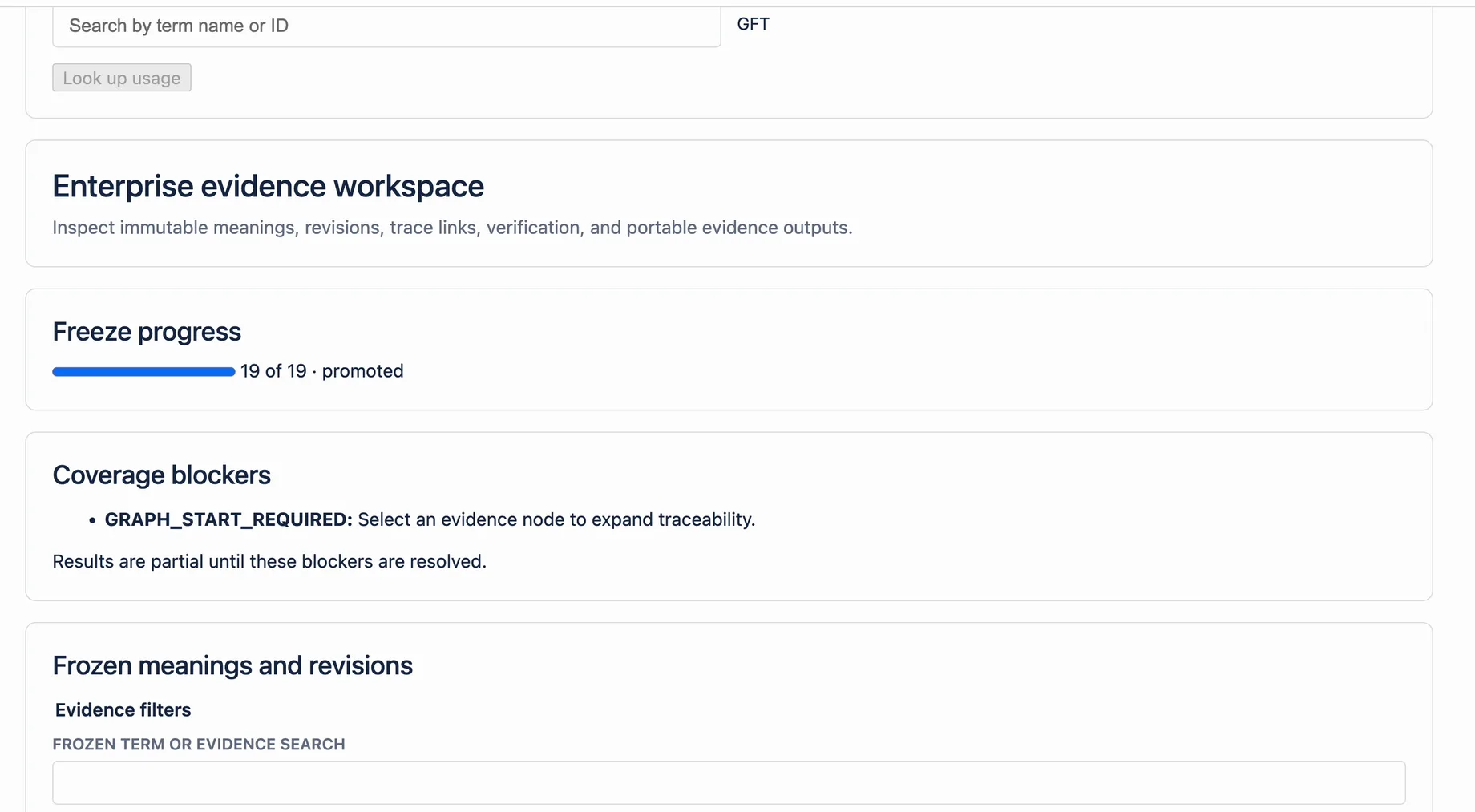
- Read the Coverage blockers panel.
- Record each blocker code and message.
- Use Next when more baseline members are available.
- In Trace graph, choose a Start node, select Show trace graph, and review Forward impact and Reverse provenance for graph gaps.
- Correct missing or unapproved source evidence outside the frozen baseline.
- Reload the workspace and confirm that partial status is gone.
- Select Run verification before a formal evidence handoff.
Example
A release baseline has more members than one workspace page can display. The panel shows WORKSPACE_PAGE_CONTINUES. The view is partial, but the baseline has not failed verification. The evidence administrator selects Next, reviews the remaining records, and does not describe the first page as the complete package.
What this does not mean
A coverage blocker describes a limit or gap in the current workspace view. It is not proof that the baseline is corrupt. It is also not a compliance decision. Stored-object checksum and chunk-root checks belong to Run verification. Frozen evidence must not be edited to hide a blocker.
Related questions
Next step
Clear every relevant blocker before presenting the workspace view as complete.
View on Atlassian Marketplace