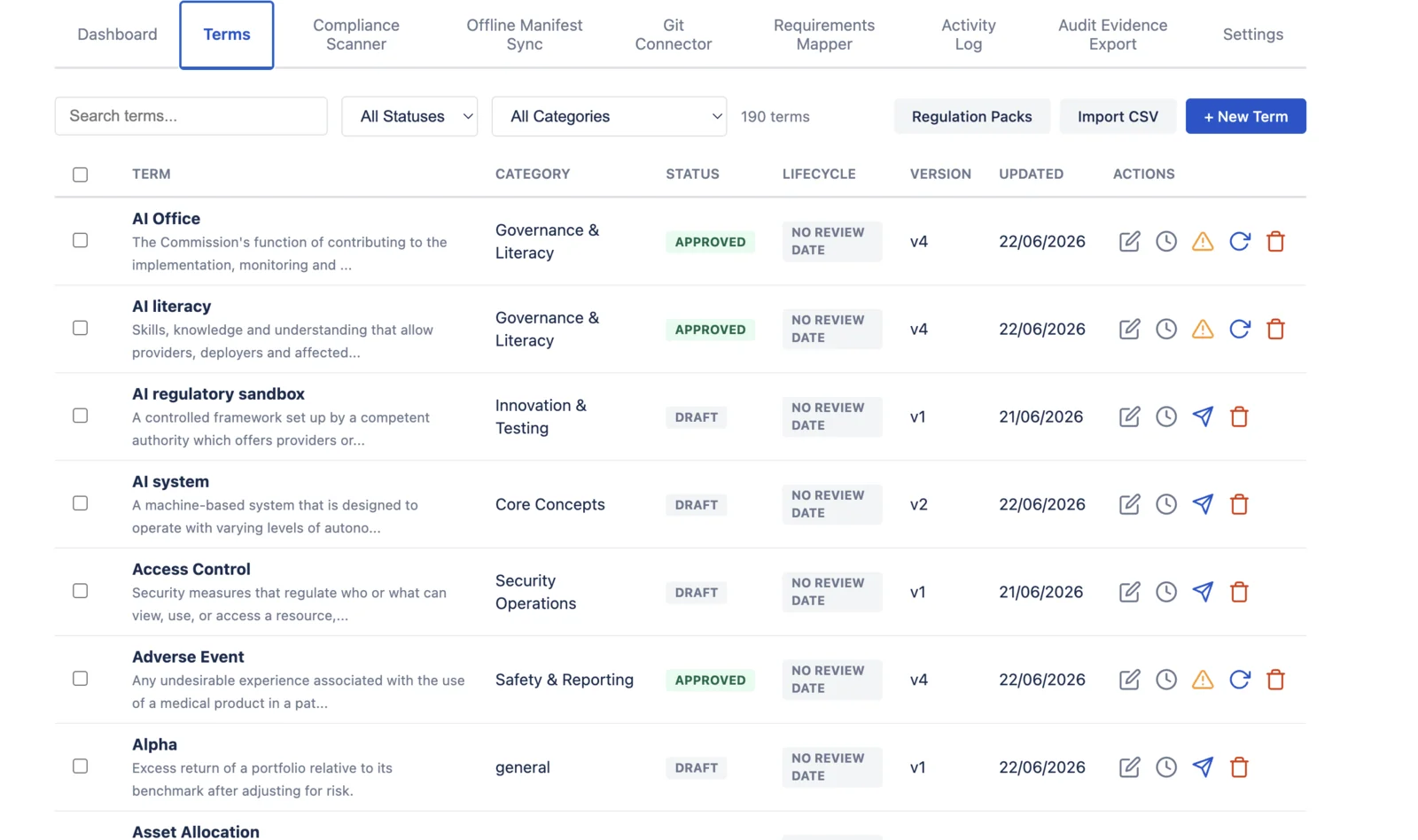
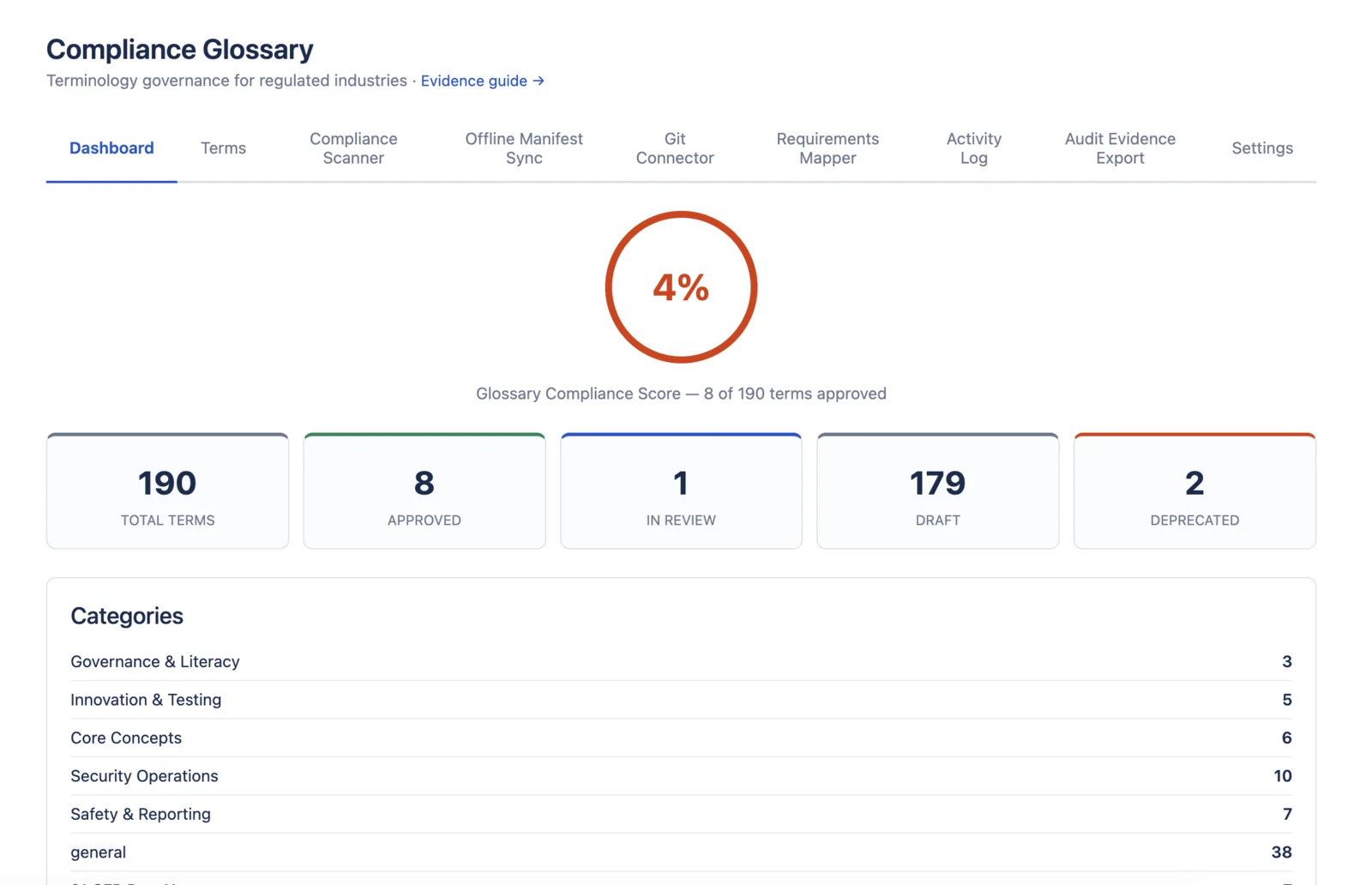
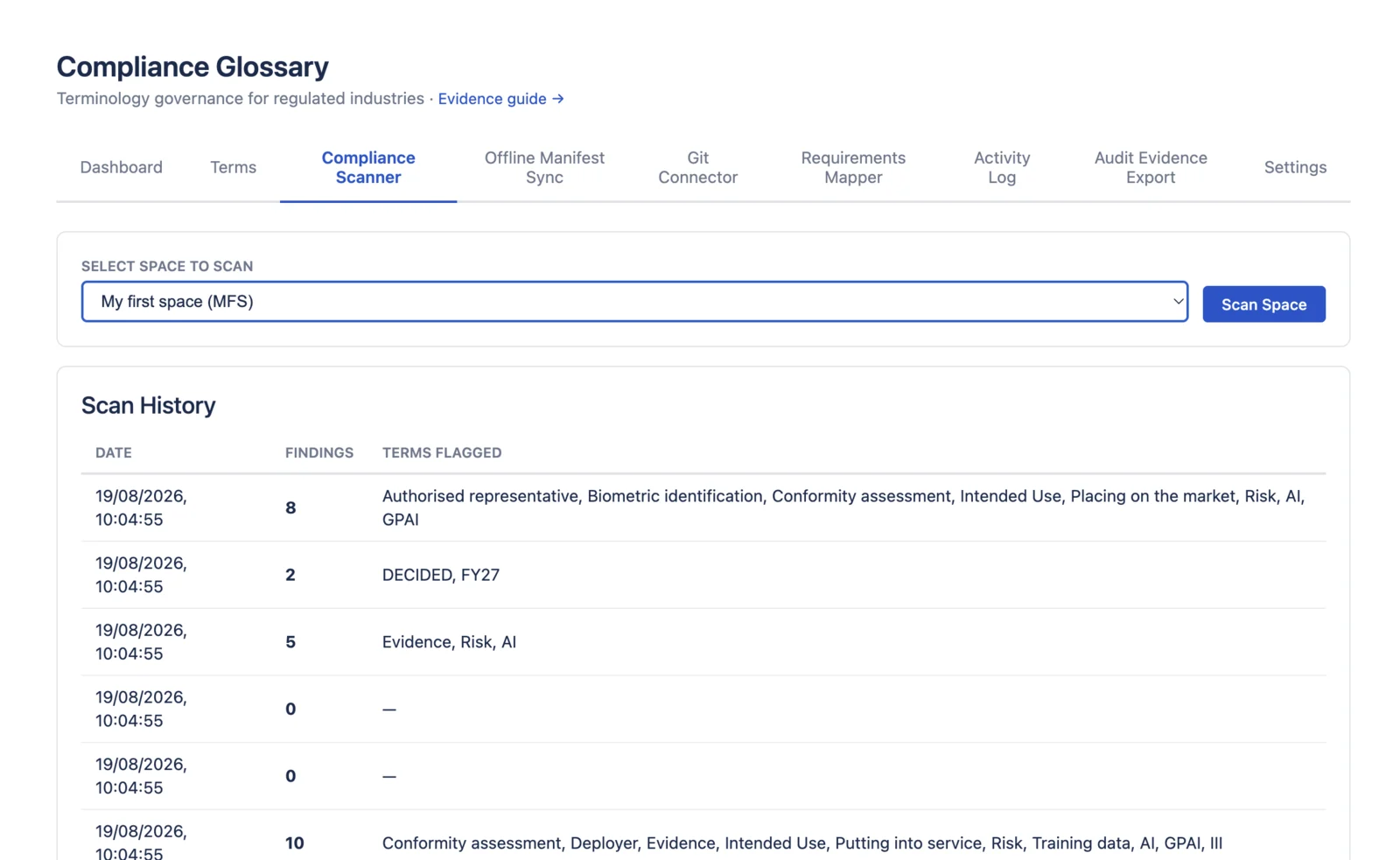
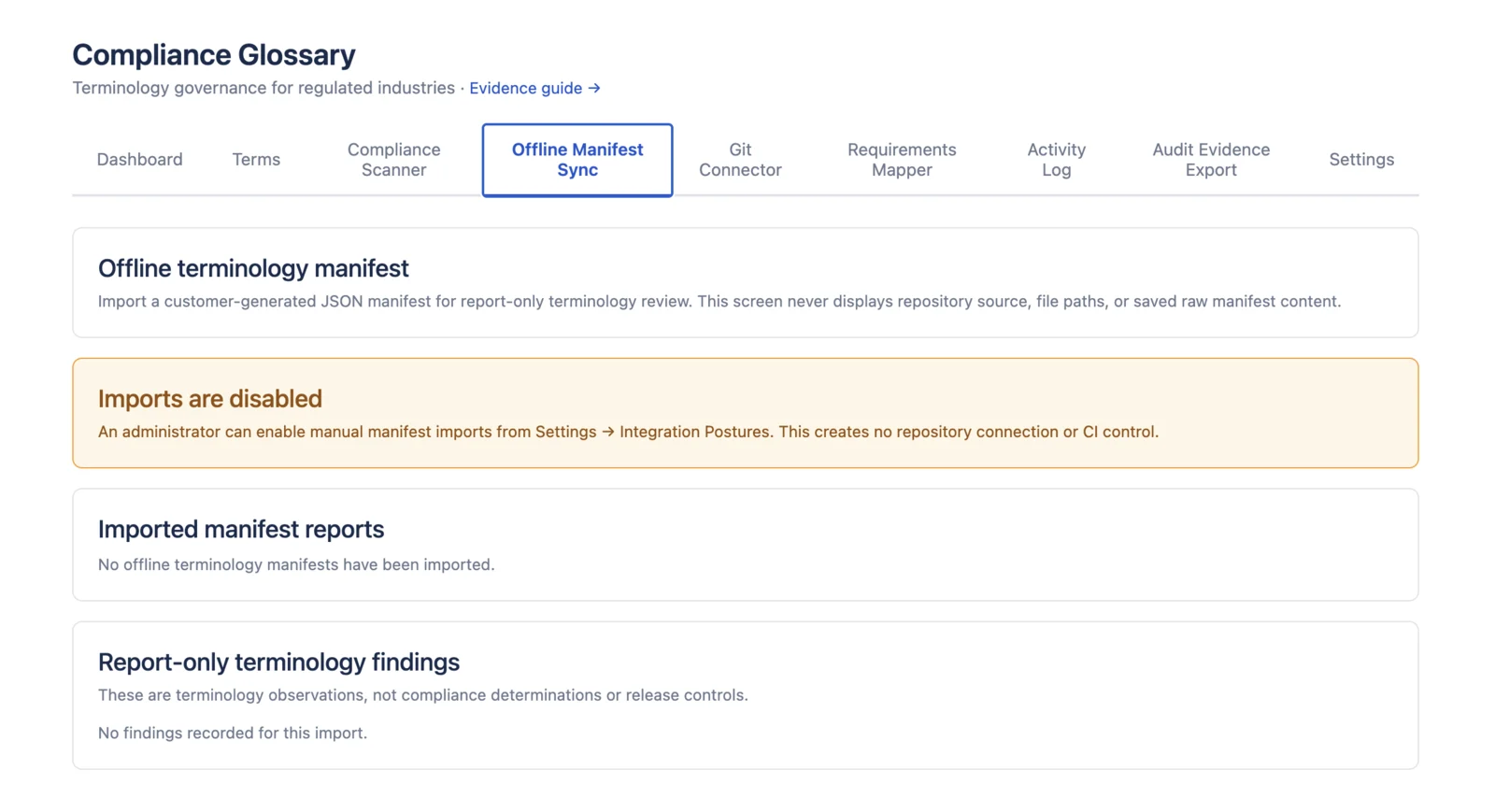
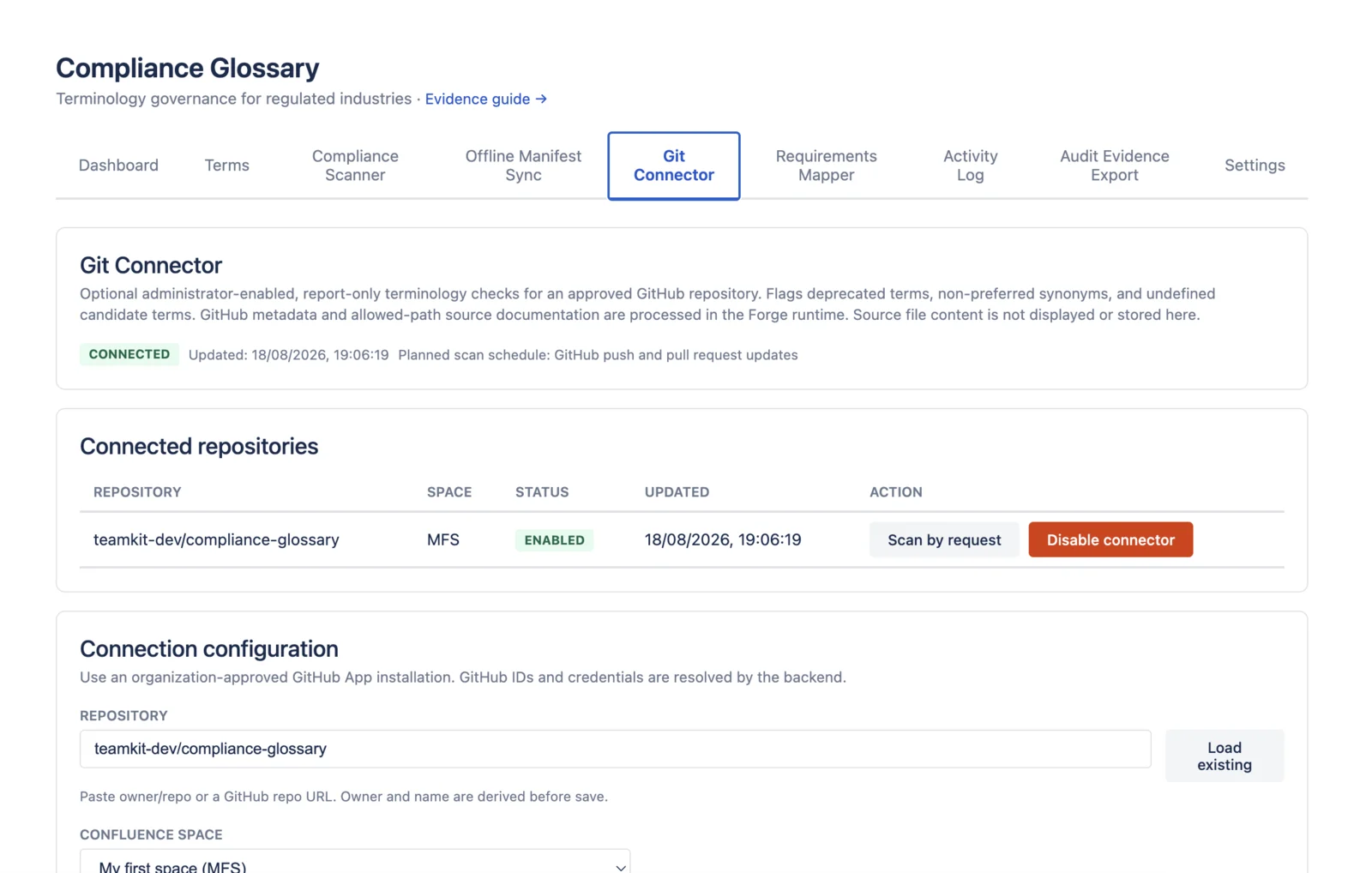
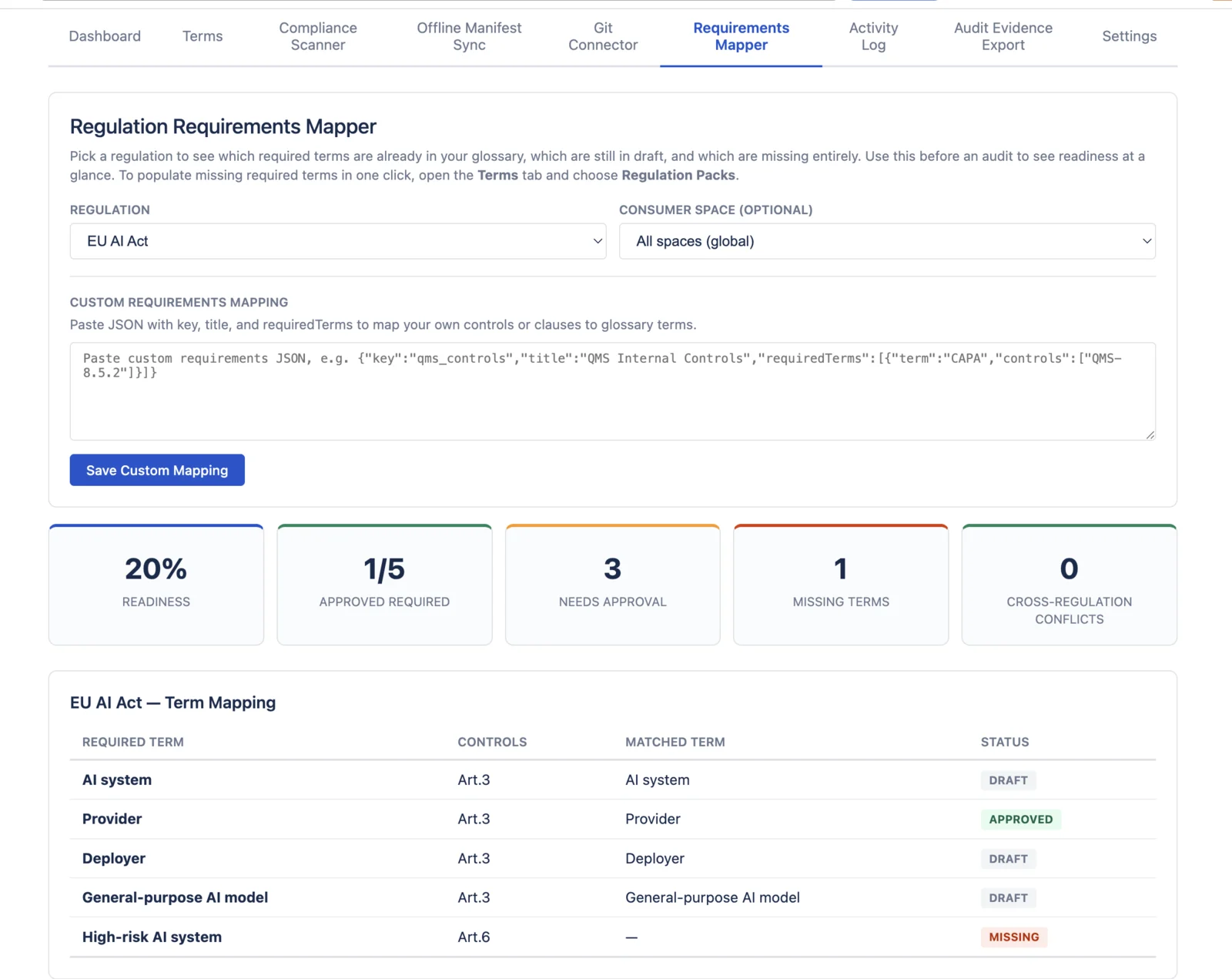
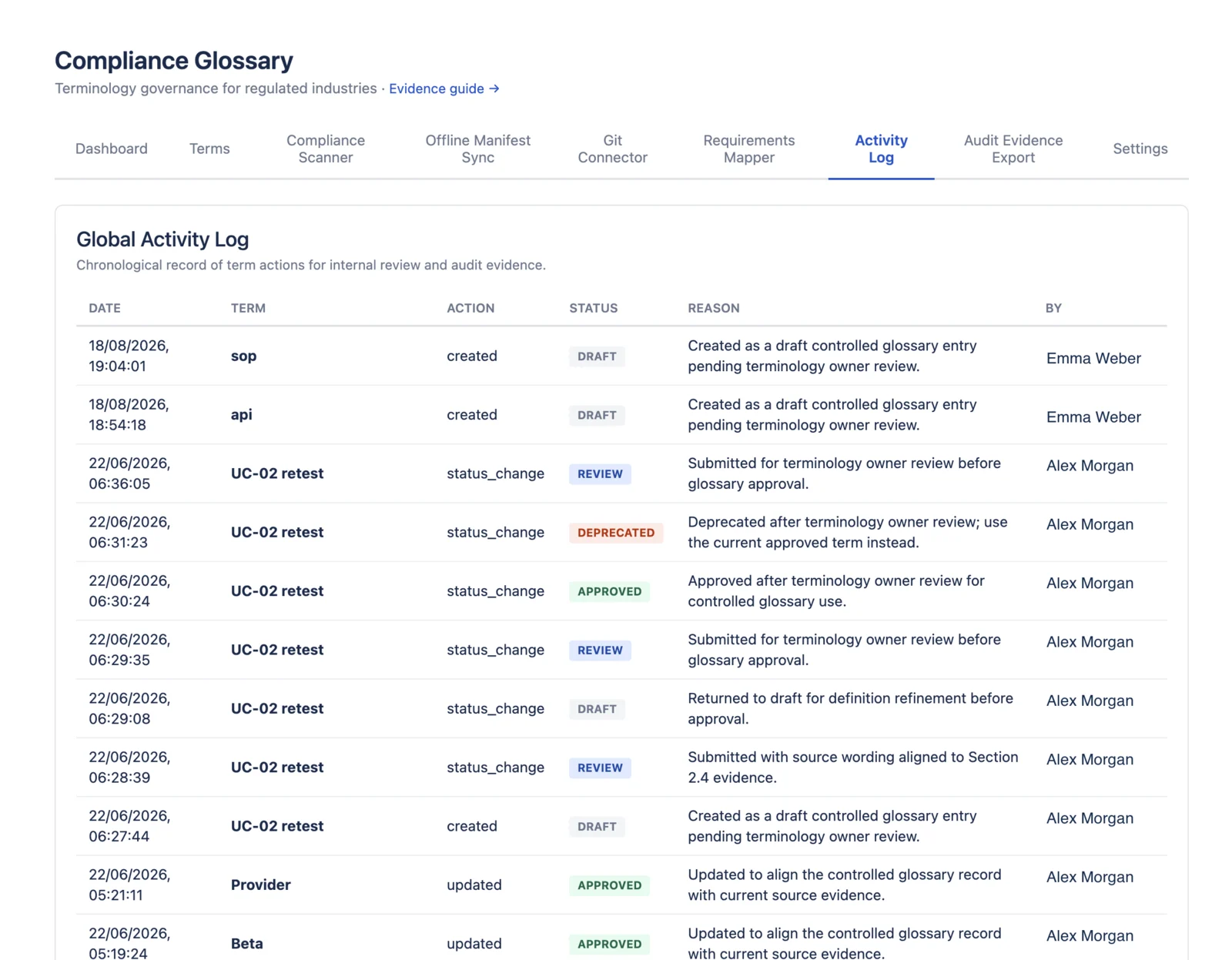
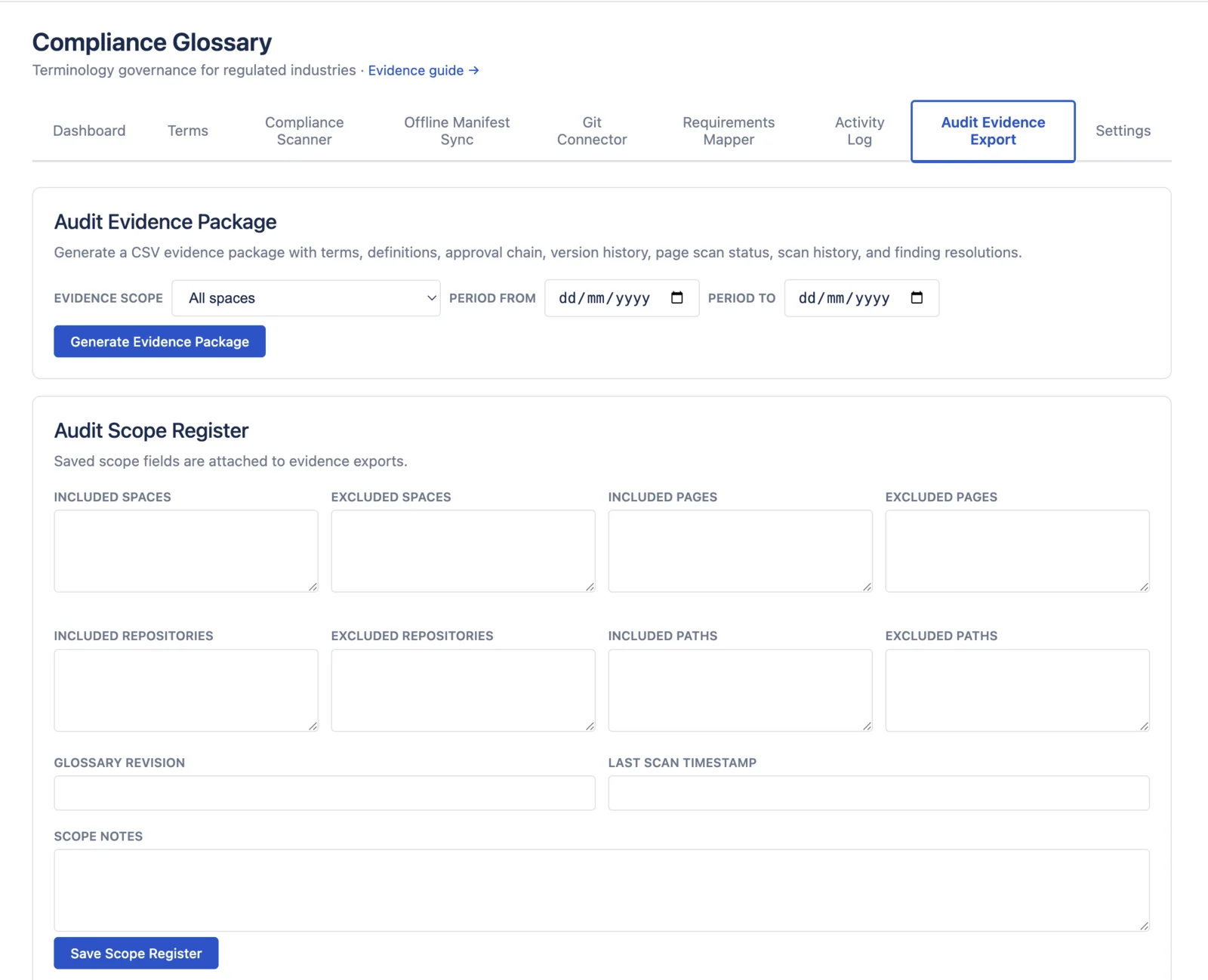
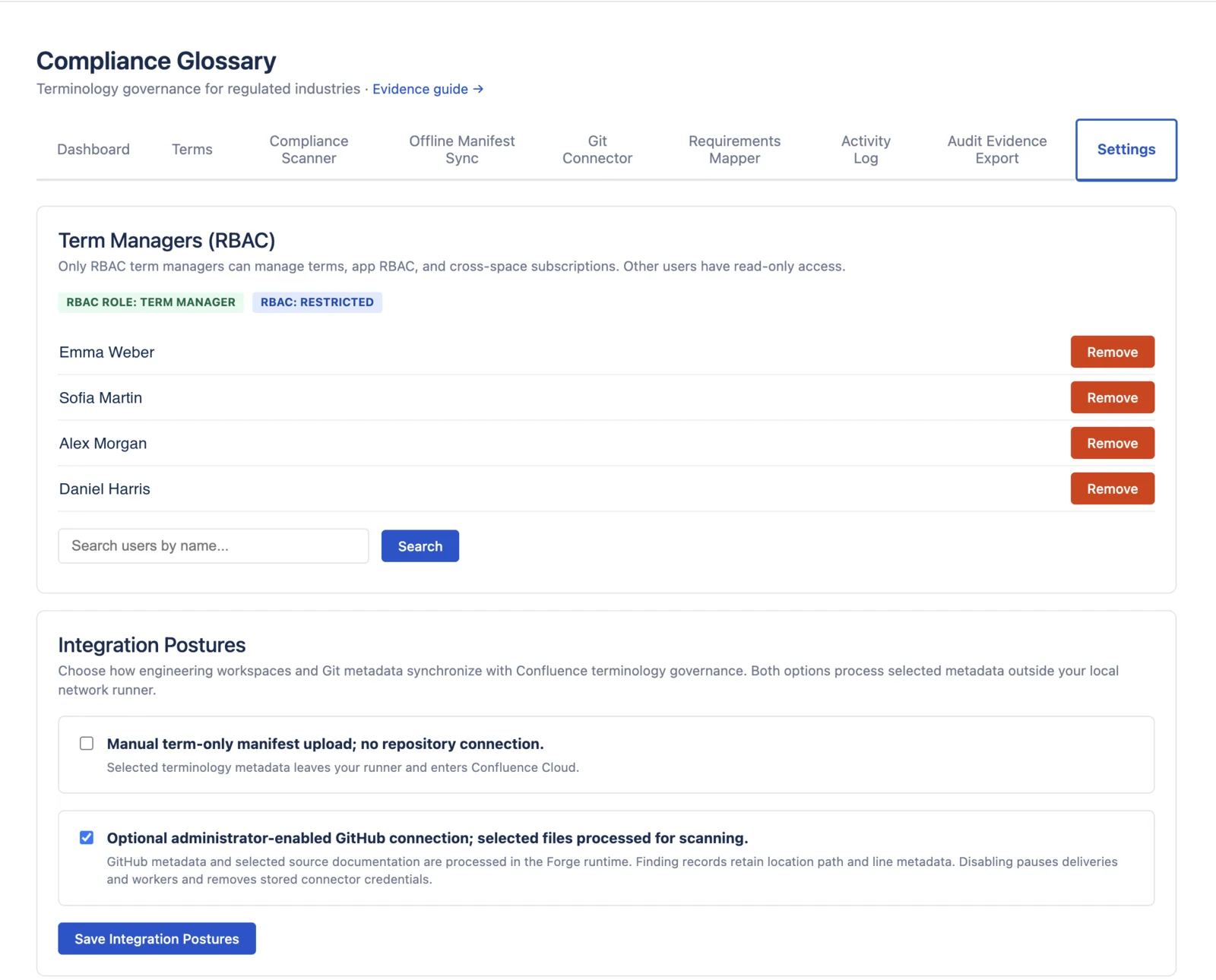
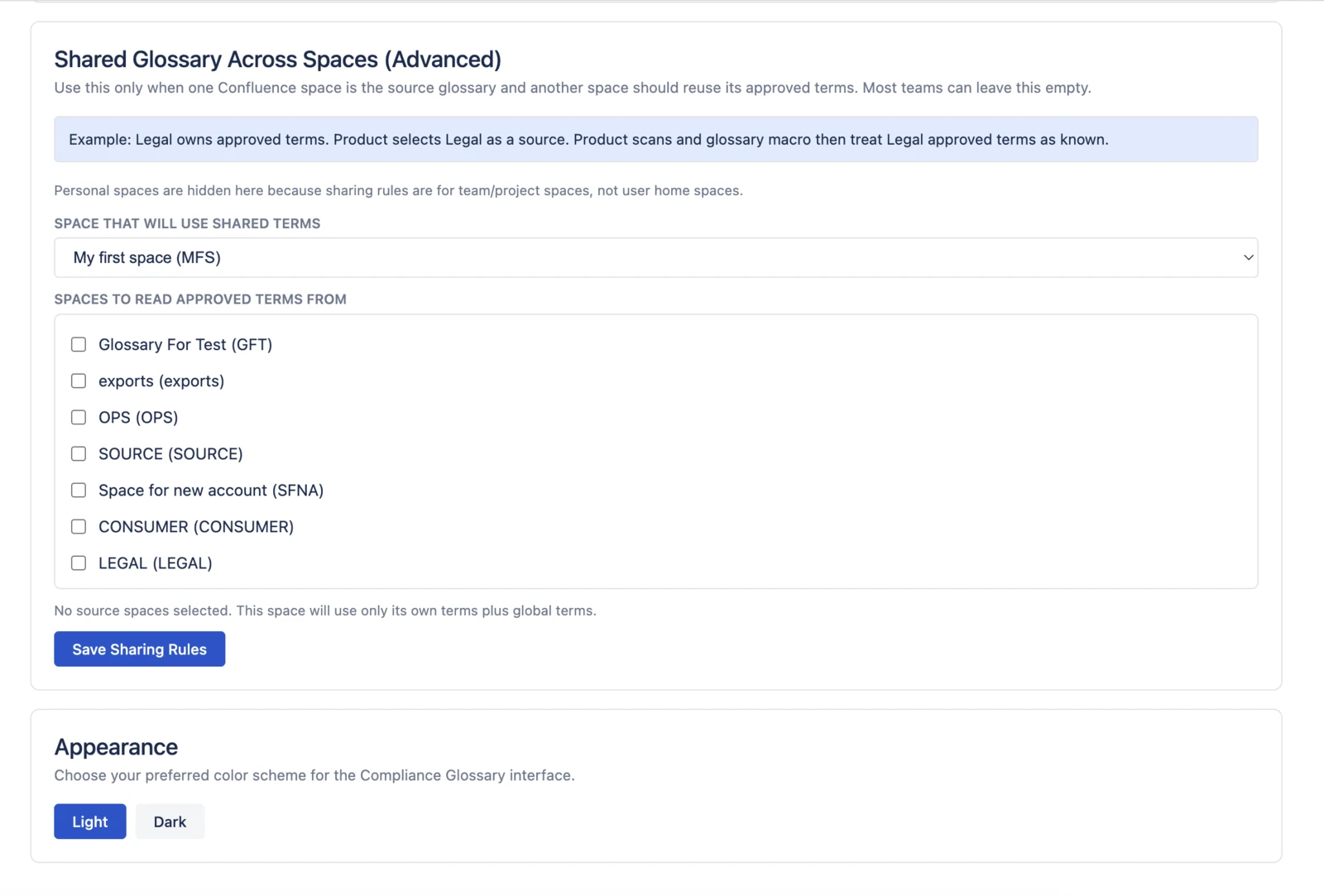
Current production UI with anonymized demo data. Runs inside Confluence Cloud on Atlassian Forge.
Compliance Glossary records approved definitions, independent review, version history, page-scan findings, requirements mapping, and CSV exports for compliance, QA, GRC, legal, security, and regulatory teams that own controlled documentation in Confluence.
Best fit when Confluence pages contain terms that must be approved, current, scanned, and exportable as evidence. Practical compliance for Confluence starts with controlled terminology: one approved definition per term, one reviewer trail, one exportable record.
Current production UI with anonymized demo data. Runs inside Confluence Cloud on Atlassian Forge.
A 48 second walkthrough of how Compliance Glossary turns scattered terminology into approved records inside Confluence.
FDA Warning Letters reference inconsistent definitions of "adverse event," "serious adverse event," and "device malfunction" across clinical documentation. Each finding delays approval.
SOC 2 Type II auditors verify that "incident," "risk owner," and "control objective" mean the same thing across every runbook, policy, and SLA. Inconsistency = finding.
"High-risk AI system," "general-purpose AI model," "deployer," "provider" — all legally defined. Article 50 transparency rules remain an August 2026 checkpoint; under the 7 May 2026 AI Omnibus political agreement, high-risk planning moves to 2 December 2027 for stand-alone systems and 2 August 2028 for product-embedded systems (European Commission AI Act timeline). Most teams have no systematic way to track the terms.
Page approval proves a document was reviewed. Compliance Glossary adds the terminology layer inside those pages: approved definitions, requirements mapping, page-scan findings, and CSV evidence export. It is not for general glossary browsing, translation management, or page approval alone.
Not another glossary. A governance tool that produces traceable terminology evidence from your existing workflow.
Every change to every definition is tracked with user ID, timestamp, and mandatory change reason. Previous definitions stored for each version.
Terms move through draft, review, approved, and deprecated stages. Four-eyes principle enforced. Full approval chain recorded with timestamps.
Scans Confluence pages for deprecated terms, unapproved terminology, and synonym violations. Each finding shows the term, page, context, and reason. Large spaces are processed in bounded batches; actual duration depends on page volume, content, and platform capacity.
When someone creates or updates a Confluence page, the scanner runs automatically. Issues surface immediately — no manual scans needed.
See your terminology approval score, track term status, spot stale approvals that need re-review, and review your glossary state before the next audit.
Pick a regulation and see required terms, mapped controls, approved coverage, terms needing approval, and missing definitions before an audit.
Use Settings to configure term managers, share approved terms from source spaces into consumer spaces, and choose the interface theme.
Generate a report with all terms, definitions, approval metadata, and version history. Download CSV evidence for audit review.
Don't just flag issues — resolve them. Acknowledge, justify, or close each finding with a full audit trail. Prove to auditors that every deviation was reviewed and addressed.
Designate term managers who can create, edit, approve, and delete terms. Everyone else gets read-only access. Opt-in — activate when you're ready.
Every scan creates an append-only snapshot. Prove that "this space had 0 findings on March 1st." Compliance over time, not just compliance right now.
Show who approved, edited, or scanned in plain language across the audit trail, activity log, dashboard, and export.
The evidence question is simple: who approved this definition, why did it change, and where is outdated or unapproved language still used?
| Capability | Spreadsheet | Compliance Glossary |
|---|---|---|
| Version history | Manual, if anyone bothers | Automatic, every change |
| Approval workflow | Email threads | Built-in: draft → review → approved |
| CSV evidence export | Copy-paste into report | One-click CSV with full history |
| Compliance scanning | Hope everyone reads it | Auto-scan on every page change |
| "Who approved this?" | "Uh... let me check Slack" | Timestamped approval chain |
| Audit prep time | 40-80 hours | Current when maintained, export in seconds |
| Finding resolution | Sticky notes and emails | Acknowledge, justify, close — with audit trail |
| Access control | Everyone can edit | Term managers vs read-only viewers |
| Compliance over time | No history of past states | Append-only scan snapshots show past terminology state |
| Regulation readiness | Manually compare terms to control lists | Requirements Mapper shows approved, pending, and missing terms |
| Shared glossary across spaces | Duplicate spreadsheets per team | Cross-space subscriptions reuse one approved source glossary |
Maintain controlled vocabulary for clinical documentation. Version history and approval chains that satisfy FDA and EMA auditors. 43 FDA terms → free template
Catch terminology drift in customer-facing documents before it becomes a regulatory issue. Consistent definitions across departments.
Define "incident," "risk owner," "control objective" and every other term your auditor will ask about. Export as part of your evidence package. 40 SOC 2 terms → free template
68 new legal terms — “high-risk AI system,” “general-purpose AI model,” “deployer,” “provider” — must be defined consistently across all documentation. In 2026, Article 50 transparency and GPAI enforcement are the live checkpoints; high-risk planning now needs the 2027/2028 AI Omnibus caveat. 68 AI Act terms → free template
One click to install from Atlassian Marketplace. No configuration, no external accounts, no server setup. Runs on Atlassian Forge infrastructure.
Create terms manually or bulk import via CSV. Add definitions, categories, synonyms, and notes. Submit for review.
Reviewers approve terms through the built-in workflow. Every approval is timestamped and recorded for audit.
Pages are scanned on create and update. The dashboard shows terminology status. Export CSV evidence when audit review needs the record.
Installation guide, term management, compliance scanner, requirements mapper, Settings, audit export, CSV import format, and approval workflows.
Read the Documentation Download Terminology TemplatesIn the current Marketplace release, the Compliance Glossary Forge app has no external:fetch:backend permission and no DailyMind-operated external app servers or databases. Planned AI-assisted curation is not enabled in that release; its data flow and disclosures are release-gated. (Scope note: this marketing site is hosted on Cloudflare Pages and uses self-hosted, cookieless analytics — Umami and GoatCounter on vigilcom.dev — with no third-party trackers. The Forge app itself does not load these.) See our security whitepaper for the full vendor assessment, or our transparent limitations page for technical details.
Runs entirely on Atlassian's infrastructure. No external servers to secure or audit.
Each installation's data is completely isolated. No cross-tenant access possible.
The scanner reads pages to detect issues but never modifies your Confluence content.
Runs on Atlassian Forge infrastructure. Atlassian Cloud holds SOC 2 Type II and ISO 27001 certifications, inherited by the app as platform controls. DailyMind LTD (Compliance Glossary publisher) is not independently SOC 2 Type II or ISO 27001 certified. See /security-whitepaper.
The current Forge app release has no external:fetch:backend permission and loads no third-party JavaScript. Planned AI-assisted curation is not enabled in that release and is subject to its own data-flow and disclosure gate. (Scope note: this marketing site uses self-hosted, cookieless analytics — Umami and GoatCounter on vigilcom.dev — not the app.)
Audit CSV export runs in your browser. Report data never touches our infrastructure.
external:fetch:backend permission. Planned AI-assisted curation is not enabled in that release; its data flow and disclosures are release-gated. Atlassian Cloud holds SOC 2 Type II and ISO 27001 certifications as platform controls; DailyMind LTD is not independently SOC 2 Type II or ISO 27001 certified. See /security-whitepaper.Install on a Confluence Cloud test or developer site when your pages contain terms that must be approved, current, scanned, and exportable as evidence.
Evaluate in Confluence Review Security / DPA Partner Discussion