FDA Terminology Management for Confluence
When your protocol says “adverse event” and your CRF says “adverse experience” — that’s an FDA Form 483 observation waiting to happen. Manage 43 critical FDA terms with version control and audit trails.
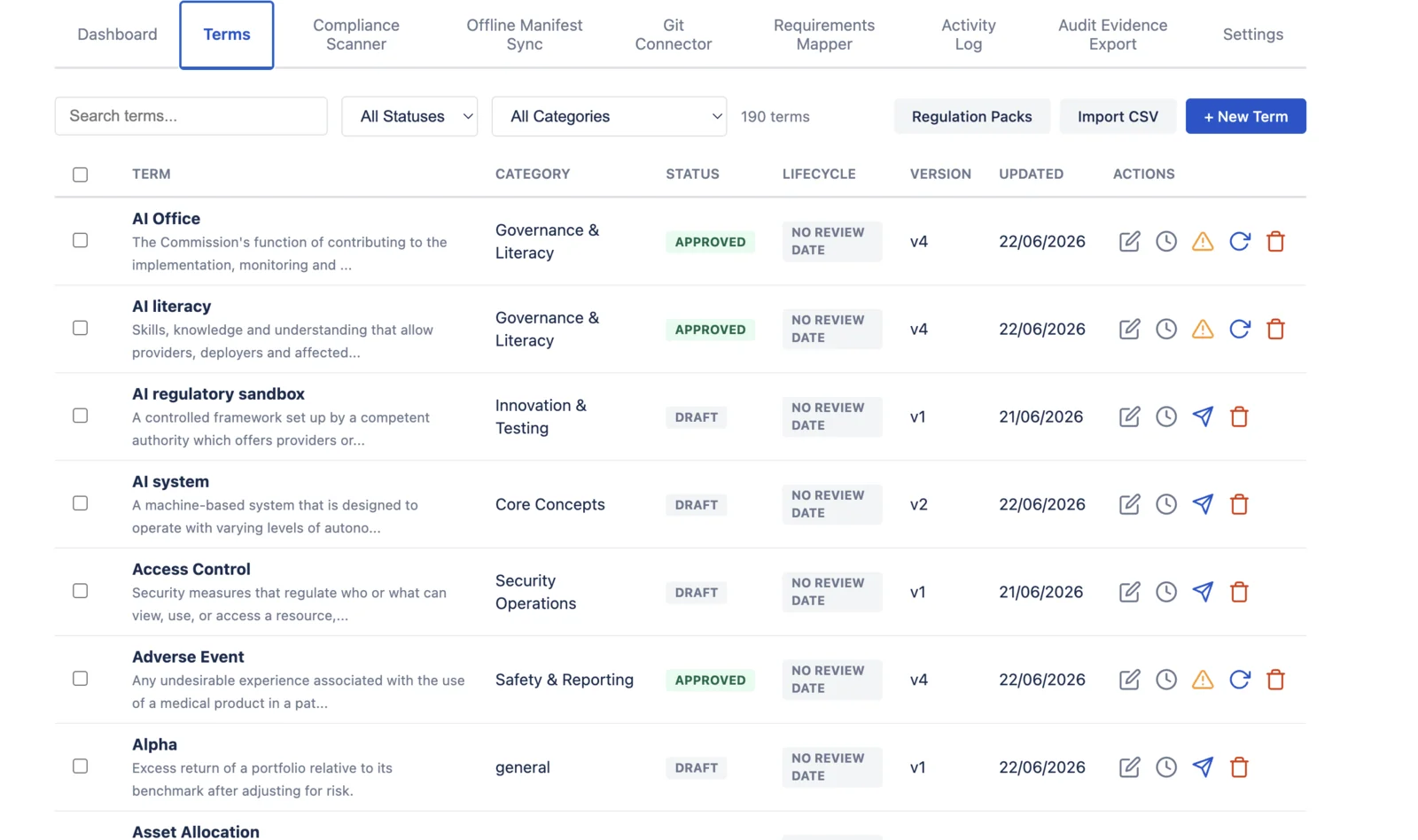
FDA-regulated teams need consistent terms across protocols, SOPs, case report forms, and design history files. Compliance Glossary manages these terms in Confluence with version history, four-eyes approval, mandatory change reasons, and an append-only audit trail. A 43-term FDA template groups terms into six regulatory domains. The app does not provide Part 11 electronic signatures.
In short: FDA compliance requires consistent terminology across QMS, validation records, and submissions. Compliance Glossary ships 43 pre-verified FDA terms mapped to 21 CFR Part 11 audit-trail controls, Part 820 QSR, and ALCOA+ data integrity principles — ready for inspection.
The FDA Documentation Problem
FDA-regulated companies produce thousands of pages of controlled documentation. Protocols, SOPs, case report forms, labeling, risk analyses, design history files — all containing precise terminology that must be consistent across every document.
These inconsistencies are exactly the control weaknesses that auditors flag. Common terminology problems in FDA submissions:
- “Adverse event” vs “adverse experience” vs “adverse reaction” (each has a different regulatory meaning)
- “Verification” vs “validation” (21 CFR 820 defines these as distinct activities)
- “Intended use” vs “intended purpose” vs “indications for use” (different regulatory implications)
- “Complaint” vs “customer feedback” (one triggers 21 CFR 820.198, the other doesn’t)
- “CAPA” used loosely when the action is only corrective, not preventive
21 CFR Part 11 Alignment
Compliance Glossary was built with FDA’s electronic records requirements in mind. See the full text at eCFR — 21 CFR Part 11.
| Part 11 Requirement | How We Meet It |
|---|---|
| Audit trail & record attribution (11.10(e)) | Every change tracked with real user names from Atlassian identity — who, when, what was changed, and the previous value. Append-only. No shared accounts, no anonymous changes. |
| Authority checks (11.10(d)) | Role-based access — only designated term managers can create, edit, or approve terms. |
| System validation (11.10(a)) | Runs on Atlassian Forge — Atlassian documents controls, logging, and change management for the hosted runtime. System validation for your intended use remains your responsibility. |
| Authority checks / segregation (11.10(g)) | Four-eyes approval — creator cannot approve their own terms. Enforced in code, not policy. |
| Audit trail — change history (11.10(e)) | Mandatory change reasons on every edit, status change, and bulk operation — captured in the append-only audit record. |
| Closed system controls (11.10) | Forge platform — customer terminology data on Atlassian's Forge infrastructure; the only external egress is an optional, administrator-enabled GitHub connector to https://api.github.com (see the privacy policy). |
Note: Compliance Glossary does not provide electronic signatures (Part 11 Subpart C). For e-signatures, use your organization’s qualified e-signature system alongside Compliance Glossary. See our full app limitations page for a transparent breakdown of what we do and don't cover.
43 FDA Terms — Pre-Built Template
Import all critical FDA terms in one click. Organized by regulatory domain:
| Category | Terms | Examples |
|---|---|---|
| Safety & Reporting | 7 | Adverse Event, SAE, MDR, Recall, Post-Market Surveillance, Device Malfunction, FSCA |
| Quality System | 15 | CAPA, Design Control, DHF, DMR, DHR, GMP, QMS, Change Control, Complaint, Nonconformance, Traceability, SOUP |
| Risk Management | 3 | Risk Analysis, Risk Management, Cybersecurity |
| Regulatory | 8 | 510(k), PMA, De Novo, Intended Use, SaMD, UDI, Labeling, Predicate Device |
| 21 CFR Part 11 | 7 | Electronic Record, E-Signature, Audit Trail, Data Integrity, CSV, Closed System, Open System |
| Clinical | 3 | Clinical Investigation, Informed Consent, IRB |
Free FDA Terminology Packet
43 terms, categorized by regulatory domain, with full definitions from 21 CFR. Submit your email and the packet is delivered to your inbox.
How Teams Use It
Regulatory Affairs
Import the FDA template, customize definitions to match your product’s regulatory strategy, and set terms to “approved” after legal review. When 510(k) submission language changes, update the term — the scanner flags every Confluence page that still uses the old language.
Quality Assurance
Define your quality system terms (CAPA, nonconformance, complaint) with exact definitions from your QMS. The compliance scanner checks SOPs and work instructions for terminology drift. During audits, export the full glossary with approval history as evidence. See how SOC 2 teams use the same workflow for their audit evidence packages.
Clinical Operations
Ensure protocol terminology matches CRF definitions. When a protocol amendment changes how “serious adverse event” is defined for your study, update once in the glossary — the scanner identifies every page needing revision.
Technical Documentation
Design history files, risk management reports, and technical files reference dozens of controlled terms. The scanner catches when someone writes “risk evaluation” instead of “risk analysis” — before a notified body reviewer does.
Why Not Spreadsheets?
| Audit Question | Spreadsheet Answer | Compliance Glossary Answer |
|---|---|---|
| “Who approved this definition?” | “Let me check Slack/email...” | Timestamped approval with reviewer name |
| “What did it say before?” | “We might have an old version somewhere” | Full version history with diffs |
| “Is this term used consistently?” | “We’d need to check every document” | One-click scan across all Confluence pages |
| “Show me your change control” | “We updated it, see the modified date” | Mandatory change reason + four-eyes approval |
| “Export your controlled vocabulary” | Manual copy-paste into report | One-click CSV with full audit chain |
FDA-Ready Terminology Management
Stop managing definitions in spreadsheets that don’t have audit trails. Import the template, approve your terms, scan your documentation. Need help getting started? See the installation guide and documentation.
Evaluate in Confluence Get Free Packet