SOC 2 Terminology Management for Confluence
Your auditor asks “how do you define incident?” — engineering says one thing, security says another, the policy says a third. That’s a finding. 40 SOC 2 terms, version-controlled, with proof of who approved each one.
SOC 2 terminology management is the practice of version-controlling defined terms (“incident”, “risk owner”, “change management”) so auditors see one consistent definition across policies, runbooks, and evidence. Compliance Glossary for Confluence ships 40 SOC 2 terms pre-mapped to SOC 2 Trust Services Criteria CC1.4, CC2.1, CC3.1, CC5.2, CC7.2, and CC8.1 — with four-eyes approval and append-only version history.
See the full SOC 2 Trust Services Criteria published by AICPA-CIMA. Last verified: 2026-04-17.
The SOC 2 Terminology Problem
SOC 2 audits test whether your controls work as described. If your security policy defines “incident” one way but your incident response plan uses a different definition — the auditor sees a gap between policy and practice. Our compliance guide maps exactly which control weaknesses auditors flag and how we address them.
Terms that consistently trip up SOC 2 audits:
- “Incident” vs “event” vs “alert” (your IRP says one, your monitoring runbook says another)
- “Risk owner” vs “control owner” vs “asset owner” (overlapping but distinct responsibilities)
- “Vulnerability” vs “weakness” vs “gap” (auditors track precision of language)
- “MFA” vs “2FA” vs “multi-factor authentication” (consistent naming across all docs)
- “Change management” in IT ops vs “change control” in compliance context
Mapping to Trust Services Criteria
Compliance Glossary helps you meet specific SOC 2 criteria:
| Trust Services Criteria | Requirement | How We Help |
|---|---|---|
| CC1.4 | Board oversight of internal control | Approval workflow ensures definitions are reviewed and approved by authorized personnel |
| CC2.1 | Information quality for internal control | Compliance scanner catches inconsistent terminology across all Confluence pages |
| CC3.1 | Risk assessment process | Consistent risk terminology — same definitions used across risk register, policies, and runbooks |
| CC5.2 | Deployment of control activities through policies | Single source of truth that policies and procedures reference |
| CC7.2 | Monitor system components for anomalies | Auto-scan on page changes — terminology drift caught immediately, not at audit time |
| CC8.1 | Change management process | Full version history with mandatory change reasons on every terminology update |
SOC 2 in Confluence: Where Terminology Evidence Fits
Most SOC 2 documentation already lives in Confluence: security policies, SOPs, runbooks, and the evidence collection that supports them. Confluence stores and shares these pages well. What it does not do natively is control the terms inside them — there is no built-in approval workflow for definitions, no append-only version history per term, and no scan that catches a page still using a deprecated term.
That gap matters most in a SOC 2 Type II audit. The observation period runs for months, and auditors sample evidence across the whole window: policies, tickets, and records must tell the same story from start to finish. If the policy defined “incident” one way in March and the runbooks used another definition in August, that inconsistency is visible in the period evidence.
Compliance Glossary adds the term-level control layer on top of the Confluence pages you already have:
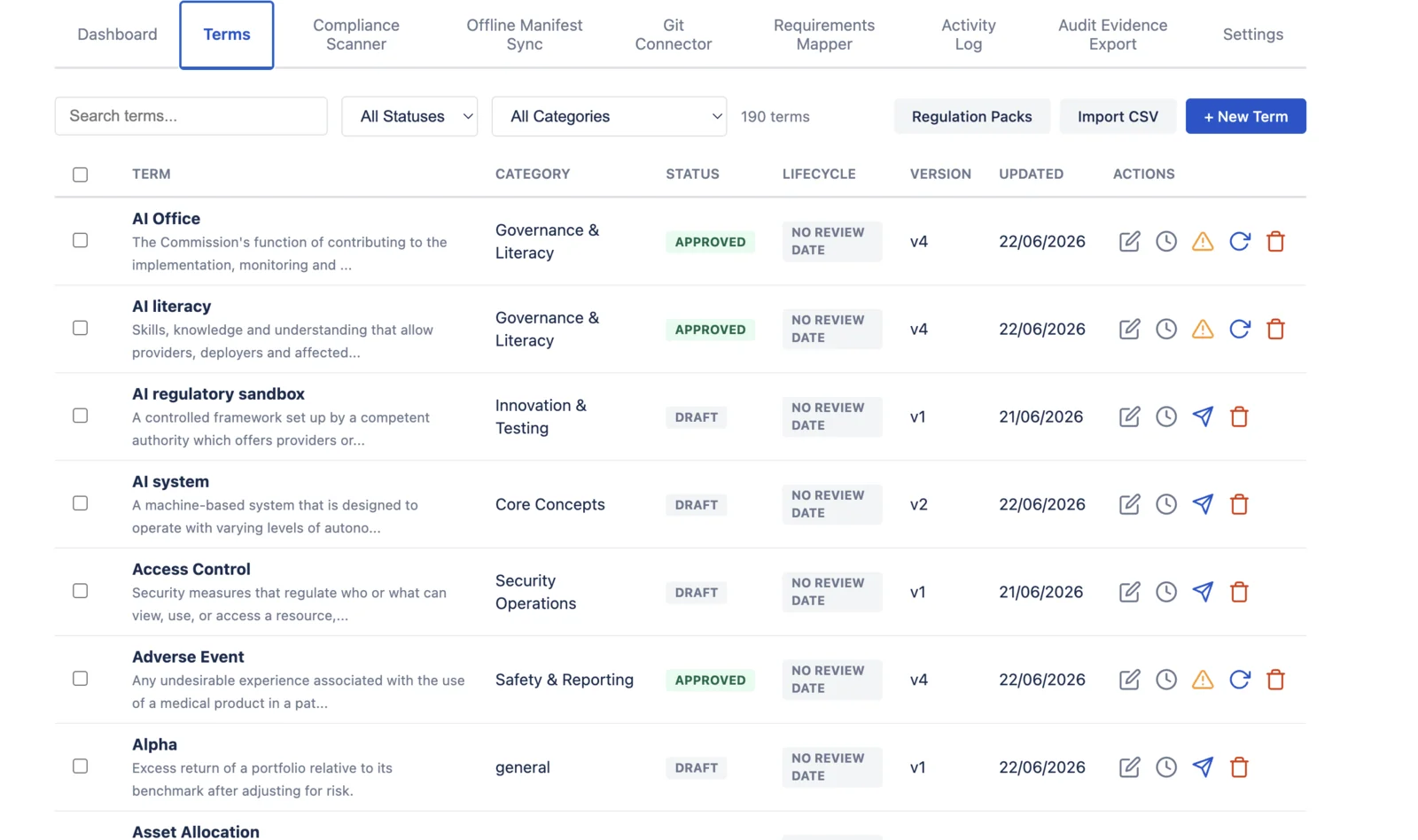
- Approved definitions — every term moves through draft, review, and approved states, with four-eyes approval enforced
- Append-only version history — who defined the term, who approved it, and every change reason, preserved across the full observation period
- Compliance scanner — checks Confluence pages for deprecated terms and unapproved language as content changes
- CSV evidence export — term metadata with the approval chain, exportable when the auditor requests it
The SOC 2 regulation pack ships as an editorial starter set of terms for your team to review and approve against your own control environment. One boundary we state plainly: Compliance Glossary is a voluntary supporting control. It is not a SOC 2 certification, does not replace an audit by a licensed CPA firm, and does not guarantee audit outcomes. It keeps the terminology layer of your existing documentation consistent, traceable, and exportable — the audit opinion remains your auditor’s.
40 SOC 2 Terms — Pre-Built Template
All key SOC 2 and Trust Services Criteria terms, ready to import:
| Category | Terms | Examples |
|---|---|---|
| Framework | 4 | Trust Services Criteria, SLA, System Description |
| Trust Services Categories | 5 | Security, Availability, Processing Integrity, Confidentiality, Privacy |
| Controls | 4 | Control Objective, Control Activity, CUECs, CSOCs |
| Report Types | 2 | SOC 2 Type I, SOC 2 Type II |
| Roles | 4 | Service Organization, User Entity, Subservice Organization, Service Auditor |
| Risk & Governance | 7 | Risk Assessment, Risk Owner, BCP, DRP, Vendor Risk Management |
| Security Operations | 10 | Incident, IRP, Vulnerability, Pen Test, Change Management, Access Control |
| Monitoring & Audit | 4 | Monitoring, Exception, Evidence, Readiness Assessment |
Free SOC 2 Terminology Packet
40 terms mapped to Trust Services Criteria categories. Submit your email and the packet is delivered to your inbox.
SOC 2 Readiness Workflow
Step 1: Import the Template
One CSV import brings in 40 foundational SOC 2 terms. Each arrives in “draft” status, ready for your team’s review.
Step 2: Customize and Approve
Adapt definitions to your organization’s context. “Incident” should match your IRP exactly. Submit for review — another team member approves (four-eyes principle, enforced by the system).
Step 3: Scan Your Documentation
The compliance scanner checks SOC 2 policy, control, and evidence pages for deprecated terms, unapproved language, and synonym mismatches. Every finding links to the correct approved definition.
Step 4: Audit Evidence
When the auditor arrives: every term carries an append-only history showing who defined it, who approved it, and every change since creation. CSV export of term metadata is available today (richer lineage export is on the roadmap). For a step-by-step walkthrough, see our documentation.
Who Uses This
- InfoSec / GRC teams maintaining consistent terminology across security policies and procedures
- Compliance managers preparing for SOC 2 Type II audits who need evidence of terminology governance. Teams in FDA-regulated industries and those preparing for EU AI Act compliance use the same workflow.
- Engineering teams writing runbooks and incident response procedures that must align with policy language
- Startup compliance leads building their first SOC 2 program and need a terminology foundation
- Consultants helping clients prepare for SOC 2 audits with standardized term sets
Frequently Asked Questions
- What is SOC 2 terminology management?
- SOC 2 terminology management is the practice of version-controlling defined terms (“incident”, “risk owner”, “change management”) so auditors see one consistent definition across policies, runbooks, and evidence. It eliminates the “policy says X, runbook says Y” audit finding by enforcing a single approved source of truth for every term, with a tracked change history.
- Which Trust Services Criteria does Compliance Glossary map to?
- Compliance Glossary ships 40 SOC 2 terms pre-mapped to CC1.4 (board oversight), CC2.1 (information quality), CC3.1 (risk assessment), CC5.2 (control deployment through policies), CC7.2 (monitoring for anomalies), and CC8.1 (change management). Each term carries an audit trail of definition, approver, and version history.
- How does the app support SOC 2 Type II evidence?
- Every term has an append-only version history with the change reason, the submitter, and the approver recorded. CSV export of term metadata is available today; a richer audit-package export covering full definition lineage across a Type II observation window is on the roadmap. The current version history supports CC8.1 change management and CC1.4 oversight evidence requests.
- Do we need the app if we already have a policy wiki?
- A policy wiki stores documents; it does not enforce term consistency across them. Compliance Glossary scans every Confluence page for deprecated terms, unapproved language, and synonym mismatches — then links findings to the approved definition. The app adds four-eyes approval, version control, and audit export on top of your existing wiki; it does not replace it.
Audit-Ready Terminology in Minutes
Import the SOC 2 template. Approve your definitions. Scan your docs. Share the version history with your auditor. Review our transparent app limitations for full details on what we do and don't cover. Last verified: 2026-04-17.
Evaluate in Confluence Get Free Packet