Watch: One Term Changed: Find Every Confluence Page It Affects
The embedded player uses YouTube’s privacy-enhanced domain. You can also watch the video on YouTube.
Transcript
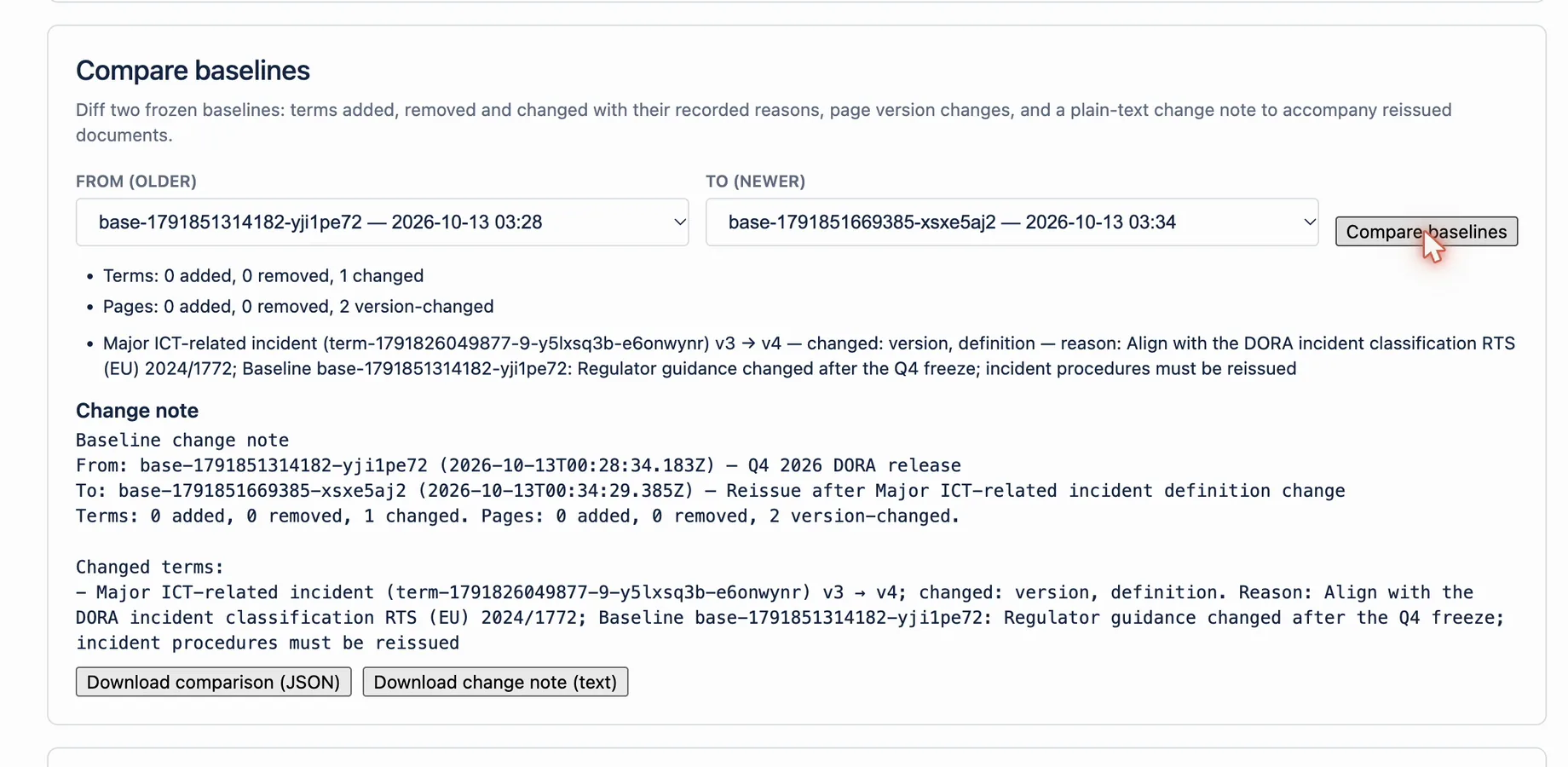
A regulator updates a definition, or your legal team tightens one. One term changes, and someone has to find every document that uses it. In one of our industry interviews, a team had to reissue six hundred documents after a single change. Here is how that looks in Compliance Glossary. Edit the term. Because it is frozen in the current baseline, the app asks why, and records the reason. The new meaning goes back to review, and the person who edited it cannot approve it. Then look up its usage. Every scanned page that uses the term is listed, so you know exactly what to review. Freeze a new baseline and compare it with the previous one. You see which terms were added, changed or removed, with their reasons, and which pages changed. Download the change note, with the recorded reason for every change, and hand it to the people who reissue the documents. One changed term. A complete list of what it touches. Compliance Glossary for Confluence.
At a glance
| Input | Action | Output | Limit |
|---|---|---|---|
| Changed governed term | Select Forward impact | Connected approved artifacts | Missing links can understate impact |
| Affected retained artifact | Select Download glossary slice | Relevant frozen meanings and usages | Complete indexing is required |
| Artifact and change context | Select Download reissue handoff | External action package | The app does not edit or issue the document |
| External approval result | Preserve its reference | Release evidence context | Signature execution stays external |
How it works
- Approve the term change through the governed term workflow.
- Open the prior deposited baseline.
- Select Forward impact from the term.
- Review every affected retained artifact.
- Generate each artifact's glossary slice.
- Download the reissue handoff and send it to document control.
- Preserve the external approval reference with the release evidence.
Example
A definition change affects 18 controlled procedures. The team reviews the governed impact graph, then generates one glossary slice and handoff per retained procedure. Document-control owners revise and approve the documents in the external system. The next baseline captures the later approved state.
What this does not mean
The workflow scopes and packages evidence. It does not guarantee that every dependency is linked. It does not revise pages, approve releases, execute signatures, or replace document control.
Related questions
Next step
Complete impact review before sending any controlled artifact for reissue.
View on Atlassian Marketplace